Last updated: November 19, 2026
Key Takeaways
- Use the latest statement, current balance, old minimum, and new required amount if the issuer has updated it.
- A minimum payment change shifts the amortization math, changing how each payment is split between interest and principal.
- Update the required-payment input, recalculate from the next due date, and keep earlier months as already paid.
- Use the issuer’s exact rule, the balance it is based on, and the effective date.
Your debt payoff calculator for minimum payment changes: how to model a higher or lower required amount goes wrong the moment you keep the old number in the sheet. Update the required payment, not just the balance, or every payoff date and interest estimate after that point will be off. The steps below show how to model a higher or lower required amount, and what to check when a credit card issuer changes the rule.
Who this applies to, and what you need first
Have a credit card, a card statement balance, and a payoff calculator that uses a monthly payment amount as one of its inputs? Then this applies to you. You need the latest statement, the current debt balance, the old minimum payment, and the new required amount if your issuer already changed it. If the payment formula is on the statement, even better. For related budgeting setup, see the guide on minimum payment calculator inputs and the page on credit card payoff timeline.
This is information, not financial advice. Rules differ by country and issuer, and a qualified adviser can help with your own situation. More than one card, a promotional rate, or a payment plan tied to hardship terms can bend the setup in ways a generic calculator misses.
A simple calculator can handle a floor payment formula update. A sloppy one cannot. That split is brutal.
Here is what the page covers:
- how to spot the new required amount
- how to change the input in a payoff model
- why a lower minimum can slow amortization
- when the standard calculator stops being useful
What a minimum payment change does to your payoff math
A minimum payment change alters the part of the calculation that drives amortization — the way each payment gets split between interest and principal over time. Raise the required amount, and the balance usually falls faster unless interest has also moved up. Drop it, and the payoff timeline usually stretches, even when the balance stays the same.
Open a new statement and the issuer may want a different required amount than last month. Easy to miss, but the calculator does not only need the balance update; it also needs the payment rule itself. A change of $10, $25, or any other amount can move the finish line more than people expect when the balance is near the issuer’s floor.
The calculator has to use the new required payment from the date it changes forward.
Not before.
What changes most often:
- the issuer raises the minimum because the balance grew
- the issuer lowers it after a rate cut or plan change
- the statement balance changes enough to trigger a new floor amount
- a fixed dollar floor replaces a percentage-based rule, or the reverse
Use the balance the issuer used for that statement if the payment formula is tied to a statement balance. A rough guess from memory will not do. When the statement is vague, the servicing page usually fills in the gap. Otherwise, a small mismatch can make a 12-month payoff estimate drift out of line after only a few cycles. See the CFPB credit card resources and the issuer’s own servicing notes for the rule details.
How do you update a payoff calculator after the minimum changes?
Start with the required payment input, then recalculate from the next due date; leave the old months behind as already paid. That is the cleanest way to model a higher or lower required amount without pretending the past payment rule still applies.
You may be staring at a spreadsheet or online calculator and seeing the old minimum still sitting in the payment box. The card issuer changed the rule, yet the debt balance has not shifted enough to explain the result. The fix is mechanical, not mysterious.
Use this order:
- Enter the current debt balance from the latest statement. Verify the number matches the issuer’s posted balance, not a rounded app summary. A mismatch of even one billing cycle can skew the result.
- Replace the old minimum payment with the new required amount. Verify the calculator now reflects the issuer’s current rule. If it does not, the tool may be using a flat percentage assumption that no longer fits.
- Set the first payment date to the next due date after the change. Verify that the prior months are not being recalculated as if the new minimum had always applied. That would distort amortization in a way that can misstate the schedule.
- Check whether the payment formula is percentage-based, floor-based, or both. Verify the model uses the same structure as the issuer. A common floor formula is “greater of a fixed dollar amount or a percentage of the balance,” though the exact rule varies by issuer and country.
- Run the calculator once with the new minimum and once with the old minimum. Verify the difference in payoff date and total interest direction makes sense. If the new result moves the timeline the wrong way, an input is off.
- Review the interest rate on the card, then keep it unchanged unless the issuer also changed it. Verify you are not mixing a payment change with an APR change. Those are separate variables.
- If the balance is small, check for a minimum-dollar floor that may exceed the percentage amount. Verify the calculator does not drop the payment below the issuer’s stated floor. That would understate the required amount and extend the payoff by one or more months.
No need to rebuild the whole model.
Use the new required amount and the next date it starts.
If the tool asks for “extra payment,” do not use that field for a required minimum change. That field is for money above the required amount, not the amount the issuer now demands. Mixing those two numbers is a classic way to create a false payoff date. Not ideal. If you are unsure how your tool handles this, check the help text or ask a qualified financial professional.
What to check on the statement before you model the change
The issuer’s exact rule, the balance it is based on, and the date it takes effect are what you need. A statement or servicing notice usually gives at least one of those pieces, and sometimes all three.
Maybe the statement is in front of you, but the required amount looks higher than last month and the fine print is tiny. The calculator cannot fix a fuzzy input. You need the exact minimum payment, the reference balance, and any change notice tied to the new rule.
Check these items first:
- the minimum payment due on the current statement
- the balance the issuer uses to set that payment
- whether the rule is a percentage, a fixed dollar floor, or both
- whether fees or past-due amounts are included
- whether the due date changes with the billing cycle
A credit card issuer can also change the rule after a hardship arrangement, a late payment, or a shift in account status. Then the new minimum may not track the old formula at all. In that case, the statement’s printed amount is the one to use, even if the old pattern looked predictable. For consumer-facing guidance, the Consumer Financial Protection Bureau and your local regulator are better references than guesswork.
Here’s the catch: some calculators assume the minimum is always a clean percentage. That works poorly when a card has a dollar floor, a fee add-on, or a special repayment rule. A square peg in a round hole.
Two source types help here:
- the cardholder agreement or servicing guide from the issuer
- a consumer finance guide from a public body such as the Consumer Financial Protection Bureau or a local financial regulator
Use the issuer’s formula if you can read it. If you cannot, put the statement’s required amount into the input and stop trying to reverse-engineer the rule from memory. When the wording is unclear, a consumer finance counselor or attorney can help interpret the notice.
What changes when the minimum goes up or down?
A higher minimum usually shortens the payoff timeline and lowers interest cost relative to the old required amount, while a lower minimum usually does the opposite. That is the basic direction, but the size of the change depends on balance, rate, and how long the old payment had been in place.
A modest change can still ripple through the schedule. You might wonder why the payoff result shifts by several months. On a revolving balance, even a slightly larger or smaller monthly payment changes how much principal is left for the next cycle, and that changes the next interest charge.
A calculator should show:
- a new monthly payment amount
- a different payoff month
- a different total interest figure
- a different ending balance path each month
The headline result is not the whole story. Monthly movement is what matters. When the minimum payment rises from one statement to the next, the first month after the change should show a larger principal reduction, assuming the rate did not rise at the same time. When the minimum payment falls, the schedule usually flattens out and the balance shrinks more slowly.
A lower minimum payment can help cash flow in the short run.
It can also delay payoff.
That trade-off matters. If you are modeling a lower required amount, do not confuse “easier this month” with “better overall.” The calculator is doing the right thing if it shows a later finish date and more interest over time. That is the cost of a lower required payment, not a bug.
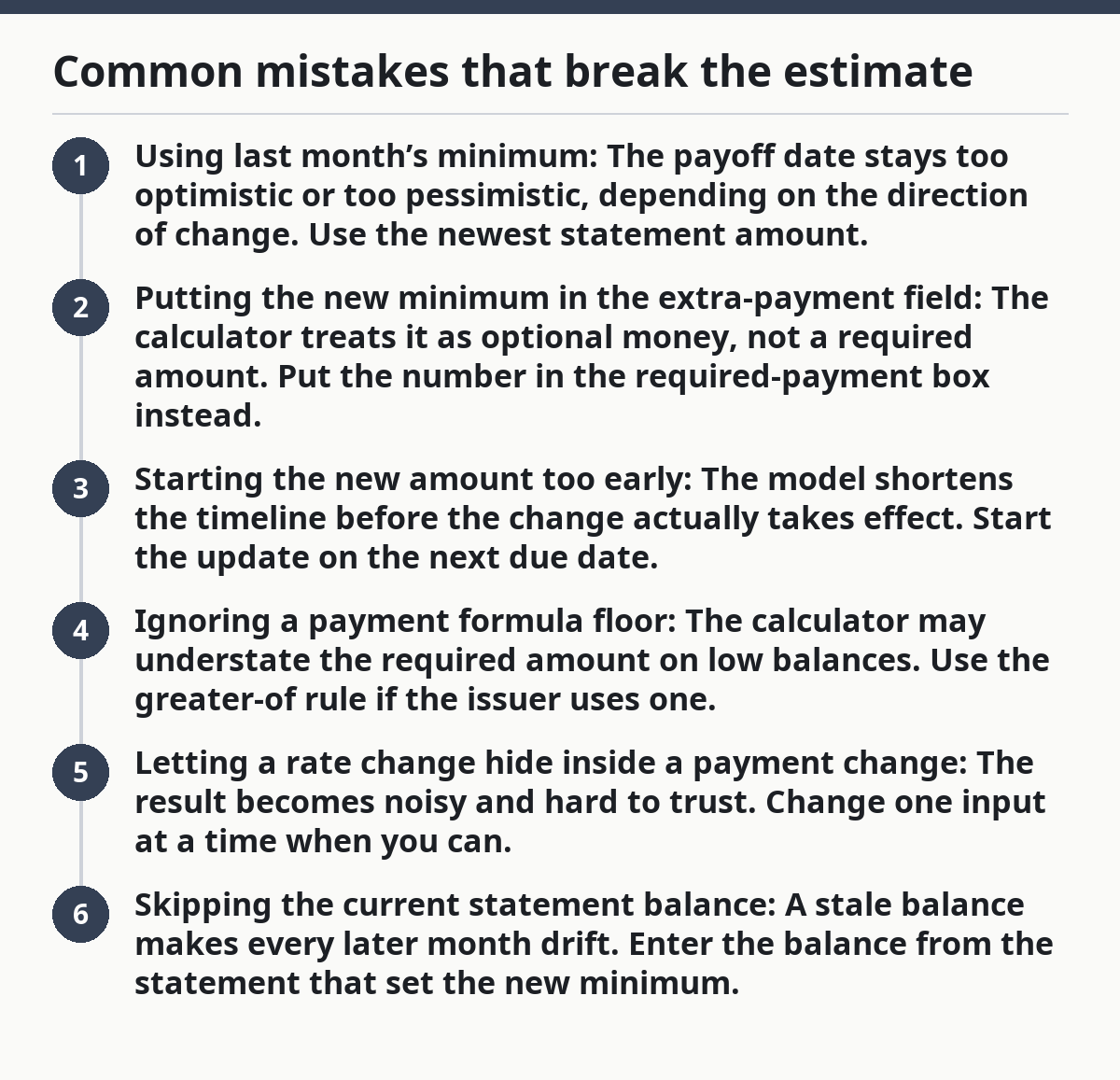
Common mistakes that break the estimate
The estimate breaks when the calculator keeps the old rule, the old date, or the wrong kind of extra-payment field. Those mistakes are easy to make and easy to miss.
The spreadsheet may still look tidy, but the numbers have gone sideways. Usually, the math engine is fine. The problem is the input choice, the timing, or a hidden assumption that no longer matches the issuer.
Common errors:
- Using last month’s minimum: The payoff date stays too optimistic or too pessimistic, depending on the direction of change. Use the newest statement amount.
- Putting the new minimum in the extra-payment field: The calculator treats it as optional money, not a required amount. Put the number in the required-payment box instead.
- Starting the new amount too early: The model shortens the timeline before the change actually takes effect. Start the update on the next due date.
- Ignoring a payment formula floor: The calculator may understate the required amount on low balances. Use the greater-of rule if the issuer uses one.
- Letting a rate change hide inside a payment change: The result becomes noisy and hard to trust. Change one input at a time when you can.
- Skipping the current statement balance: A stale balance makes every later month drift. Enter the balance from the statement that set the new minimum.
A two-run check catches many mistakes fast. Run the old payment and the new payment against the same balance, same rate, same date. If the results behave backward, the inputs are wrong.
When a standard payoff calculator is the wrong tool
A standard payoff calculator is the wrong tool when the payment rule is not stable, not fully known, or not the only thing changing. In those cases, the output can look precise while the assumptions are soft.
Your account may have special terms the basic calculator does not ask about. That is where clean math turns messy. A rule change can sit inside a hardship plan, a delinquency stage, or a promotional structure that needs a different setup.
Stop using the standard approach when:
- The issuer moved you to a hardship plan: the required amount may follow a special schedule — use the plan terms, not the old minimum formula.
- The account is past due: late fees and past-due catch-up amounts can make the “minimum” include more than one bucket — use the statement detail or get help from the issuer.
- The card has a promotional balance transfer rate: different balances can have different payment rules — model each bucket separately if the calculator allows it.
- The issuer changed both the rate and the minimum: the payoff result now has two moving parts — update both inputs or the estimate will miss.
- You only have a partial statement: a rough estimate is better than nothing, but it is not a clean payoff model — wait for the full statement if timing matters.
Can’t identify the exact rule? Use the statement-required amount as the payment input and treat the result as an estimate, not a schedule you can rely on to the day. For a deeper look at how estimates drift, the hub on debt payoff calculators and estimate accuracy is the right next stop.
What a good recalculation looks like
A good recalculation matches the issuer’s current rule, starts on the right date, and produces a believable new payoff path in under 10 minutes. You do not need perfect certainty to improve the model. You do need consistent inputs.
The new payoff estimate should show a later finish date after a minimum cut, or an earlier one after a minimum increase, and the monthly balances should move in a straight line that fits the rate. That is what a healthy recalculation looks like.
You know the update worked when:
- the first month after the change uses the new required amount
- the old months remain untouched
- the balance falls faster after a higher minimum or slower after a lower one
- the ending month changes in the expected direction
- the numbers still make sense if you compare them to the statement
If the estimate does not pass those checks, do not assume the issuer’s rule is wrong. Recheck the statement balance, the due date, and the payment field type. A calculator can be only as good as the input row behind it. See also payment schedule accuracy for a fuller checklist.
FAQ
What if my minimum payment changes?
Use the new required amount from the statement and start it on the next due date. The balance, rate, and payoff date all need to reflect the change from that point forward. If the issuer gives a formula instead of a fixed number, use the statement amount unless you can enter the formula exactly.
How do I update a calculator after a minimum payment increase?
Replace the old minimum payment with the new required amount, keep the same debt balance, and rerun the estimate from the next billing cycle. The result should show a faster payoff and usually less interest than the old setup. If it does not, one of the inputs is still wrong.
Does a lower minimum payment help my timeline?
No, a lower minimum payment usually slows your payoff timeline. The balance shrinks more slowly, so interest has more time to add up. That may help monthly cash flow, but it usually extends the debt schedule unless you pay more than the required amount later.
Drafted with AI; not yet reviewed by a person.