Last updated: November 19, 2026
Key Takeaways
- Multiple debt accounts with different billing dates call for this method.
- Enter each debt’s real due date, then confirm whether the calculator uses exact dates or monthly periods.
- Use calendar dates for exact timing and monthly models for month-level forecasts only.
- Different due dates can change cash-flow timing and reveal a payment gap in a tight month.
If your debts have different due dates, enter the due date schedule, not just the balance, so the calculator can place payments on the right calendar days.
That choice changes the payoff order, the monthly payment timing, and the month when interest or late fees can show up.
The steps below settle whether to model by calendar date or by month, and what each choice gets right.
Who this applies to, and what the calculator needs first
If you have two or more debt accounts with different billing cycle dates, this method is for you. It assumes you already know each debt’s balance, APR or interest method if the calculator asks for it, minimum payment, and the current payment due date for each account.
This is information, not financial advice, and a qualified adviser should be consulted for your own situation. That matters because due date scheduling can change the result even when the balances are the same, especially if one account bills on the 2nd and another on the 28th.
A debt payoff calculator can only model what you feed it. If you enter every debt as if it were due on the same day, the projection may look neat but miss the timing problem you actually face. That is where many people go wrong.
- Needed inputs: balance, interest rate or fee terms, minimum payment, and due date; if anything is unclear, consult a financial professional or the tool’s help page
- Needed choice: calendar date model or monthly model
- Needed check: whether the tool treats due dates as fixed dates or as monthly repeats
- Problem sign: the payoff plan shows the right totals but the wrong months
How should I enter debts with different payment due dates?
You should enter each debt account with its actual due date, then decide whether the calculator is built around a calendar date view or a calendar month view. That choice controls whether a payment falls on the 5th, 15th, or 30th, or simply inside a month bucket.
Picture this: you are staring at three debts, each with a different billing cycle, and the calculator asks for one payment date field. The right move is to map every account to its real due date first, then see whether the tool needs a specific calendar date or just a monthly cycle marker.
The truth is, “monthly” can mean two different things. One tool means “the same day of each month.” Another means “once per month, regardless of the exact day.” Those are not the same when a due date lands near month-end or on a weekend.
- List every debt account on one page. Write the current balance, minimum payment, due date, and billing cycle for each one. Verify that each due date is the actual payment due date, not the statement closing date. If you mix those up, the calculator may shift the payment by about 20 to 30 days and distort the plan.
- Choose the calculator mode before entering numbers. If the tool has a calendar date field, use exact dates like 3/18 or 10/2. If it only asks for a monthly payment, use the month and day pattern it supports. Verify whether the tool repeats the date every 30 days or on the same day of each calendar month. A mismatch creates a payoff date that looks tidy but does not match the real schedule.
- Enter the earliest due date exactly as written. Put the first upcoming payment on its actual due date, even if it falls in the middle of the month. Verify that the calculator does not auto-round it to the 1st. If it does, you may be modeling a payment that arrives too late.
- Enter later debts in due-date order. Sequence the accounts by the date each payment is due: 1st, 12th, 25th, and so on. Verify that the order in the calculator matches the order on your statement stack. If the tool sorts only by balance, your cash-flow timing can be wrong even when the payoff order looks right.
- Set the monthly payment amount once. Use one consistent extra-payment amount if the calculator supports snowball or avalanche planning. Verify that the payment is large enough to cover all minimums plus the extra amount you intend to test. If the plan leaves a minimum unpaid in any month, the projection is not usable.
- Check how the tool handles month length. Some calculators assume every month has 30 days; others use the real calendar. Verify whether February, 31-day months, and leap years are treated as real dates or as monthly buckets; if the behavior is unclear, check the tool help or ask a qualified professional. If the result changes by a day or two across months, the tool is date-based, not flat-month based.
- Run a one-month test first. Look at the next payment date, the next interest charge, and the next minimum due before you project the full payoff. Verify that the first month matches your bank’s statement cycle. If the first month is off, the rest of the schedule will drift too.
- Save the version that matches your real calendar. Keep the model that lines up with the actual due date sequence and payment schedule. Verify that the final month still leaves no account short on its minimum. A good model is boring: each payment lands when it should, and no account shows a surprise late-payment gap.
This is where due date scheduling earns its keep. A debt payoff calculator can show the same balances and a different result depending on whether a debt due on the 28th is treated as a late-month payment or just “Month 3”; if the setup is unclear, consult a qualified adviser or the calculator’s documentation.
Calendar date or calendar month: which model fits better?
Use a calendar date model when the exact payment day matters, and use a calendar month model when the tool only needs a month-level forecast. The better choice is the one that matches how the calculator handles your due date, not the one that looks cleaner on screen.
Picture this: you are trying to compare a credit card due on the 7th with a personal loan due on the 29th. If the tool lets you enter exact dates, the calendar date model usually shows the real spacing between payments more clearly. If it only accepts monthly entries, you are working with a simplified payment schedule.
Here’s the catch: monthly models can hide timing friction. A payment that is due on January 31 may not behave the same as one due on January 1 if the next cycle starts in February. That matters for interest timing, statement cutoffs, and when a payment shows up as current.
- Use calendar dates when the due date lands mid-month, near month-end, or varies by account
- Use calendar months when the tool cannot accept real dates and only supports monthly repetition
- Check billing cycle language for words like “statement date” or “payment due date”
- Watch for drift if the tool advances by 30-day blocks instead of the calendar
- Prefer real dates when you are aligning several debt accounts in one month
A plain month view can still be useful. It is just less exact. If your debts all fall on the 1st through 5th, month-level planning may be enough. If one account bills on the 27th and another on the 3rd, exact dates are the safer fit for the calculator model.
What changes when due dates sit in different parts of the month?
Different due dates change the order in which cash leaves your checking account, and that can affect whether the calculator shows a payment gap in a tight month. A debt due on the 2nd uses money earlier than one due on the 22nd, even if both are “monthly.”
Picture this: your rent clears on the 1st, one debt is due on the 4th, and another is due on the 26th. The calculator may show enough income for the month, but not enough cash at the right time unless the due-date sequence is modeled correctly.
The practical test is simple. Ask whether the plan still works if the first two debts hit before your next paycheck lands. If the answer depends on “monthly totals” alone, the calculator may be hiding a real timing problem.
- Early-month due dates can crowd the first week
- Mid-month due dates may fit better between pay periods
- Late-month due dates can look easier on paper but still collide with rent or other fixed bills
- Mixed due dates make the payoff order matter less than the cash-flow timing
- Weekend or holiday shifts can move a due date to the next business day under the creditor’s rules
This is why due date sequencing matters. The calculator is not just asking “what do you owe?” It is also asking “when does each account want money?” Those are separate questions, and the second one can change the first month of your payoff plan.
What to check before you trust the result
Trust the result only after the schedule matches the real payment date, the billing cycle, and the number of months the tool is projecting. A payoff calculator can be mathematically correct and still be wrong for your calendar.
Picture this: you have the balances entered, the extra payment set, and a neat payoff date in the last column. Before you accept it, check whether the due dates are actually lining up with the months shown. A one-day mismatch can push a payment into the wrong statement cycle.
The key checks are boring, but they save trouble.
- Due date vs. statement date: make sure you entered the payment due date, not the bill’s closing date
- Monthly timing: verify the payment lands before the due date, not after it
- Calendar month effects: check February, 30-day months, and month-end dates
- Minimum payment coverage: confirm every account still gets its minimum each cycle
- Sequence of extra payments: see whether the calculator applies extra money to the lowest balance, highest rate, or another rule
For an outside reference on due dates and billing cycles, the Consumer Financial Protection Bureau’s credit card billing pages are a solid place to compare terminology. The Federal Trade Commission also explains debt-related billing and payment basics in plain language. Those pages won’t model your budget, but they help you separate a due date from a statement date.
When the standard setup does not fit
The standard setup does not fit when the calculator cannot handle exact dates, when your debt account changes due dates often, or when one creditor uses a nonstandard billing cycle. In those cases, a month-only model can be too blunt.
Picture this: you have a card that bills on the 14th now, but the issuer moved the due date twice this year. A fixed monthly model may be enough for a rough plan, but it can fail if you need a precise payment schedule across several accounts.
Use a different approach in these cases:
Due dates move every month: the calendar date changes with the statement cycle — use a manual calendar or a spreadsheet instead of a fixed monthly template.
The calculator only accepts one date for all debts: it cannot reflect due date sequencing — choose a tool that lets each debt account have its own due date.
Your debts share one payment date but not one billing cycle: the cash-flow timing can still differ — enter each account separately and check the first three months.
You pay mid-month because of income timing: the due date and payment date are not the same thing — record the real payment date in your own tracker, then use the calculator for payoff order only.
The tool rounds everything to month-end: it hides February and 31-day effects — switch to a calendar date model or another calculator.
The wrong tool is the one that makes every debt look identical. Different due dates mean different timing, and timing is part of the debt problem, not a footnote.
The mistakes that distort the payoff plan
The most common mistake is entering payment dates when the calculator asked for due dates, or due dates when it asked for payment dates. That flips the schedule and can make a plan look one month better than it is.
Picture this: you enter all debts as if they were due on the same day because it feels easier. The calculator gives you a clean result, but the real-life sequence still has a gap between the 3rd and the 27th. The plan is tidy and still wrong.
These are the errors that matter most.
- Using statement close dates instead of due dates — the result shifts the payment window — enter the due date printed on the bill
- Ignoring month-end dates — the schedule can break in shorter months — use real calendar dates when the tool allows it
- Letting the calculator sort only by balance — the cash-flow order can be off — sort by due date first
- Forgetting a minimum payment — the account can show late or short — include every required minimum
- Mixing monthly and date-based logic — the model becomes inconsistent — use one method from start to finish
A good payoff calculator is only as honest as its inputs. If the due date is wrong, the billing cycle is off, or the month is flattened into 30 days, the numbers will still look polished. They just won’t reflect your real debt account timing.
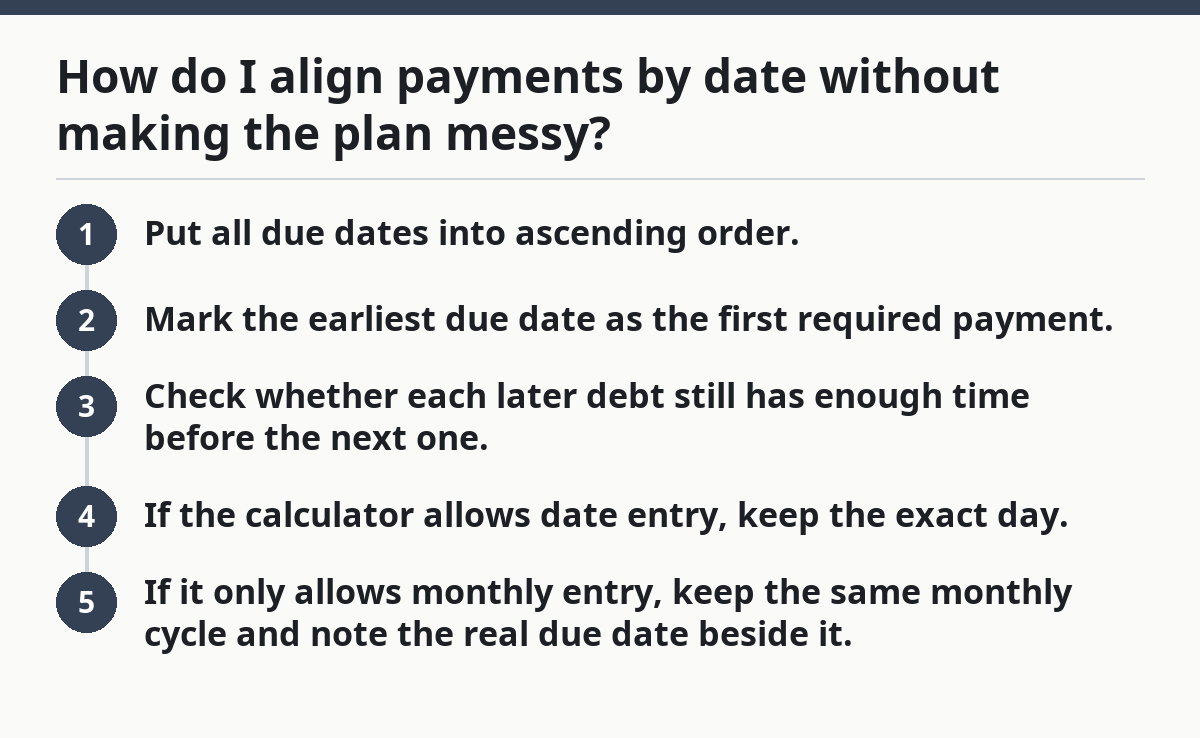
How do I align payments by date without making the plan messy?
Align payments by date by choosing one calendar rule and sticking to it across every debt account. If the tool uses the 15th of each month, keep every account on that monthly rhythm unless its due date forces a different date.
Picture this: your debts are scattered across the 4th, 13th, and 28th, and you want a schedule you can follow without a spreadsheet jungle. The answer is to group the due dates into a payment order, then map each one to the same calendar month pattern the calculator uses.
A simple method works best:
- Put all due dates into ascending order.
- Mark the earliest due date as the first required payment.
- Check whether each later debt still has enough time before the next one.
- If the calculator allows date entry, keep the exact day.
- If it only allows monthly entry, keep the same monthly cycle and note the real due date beside it.
That keeps the model readable. It also keeps the payment schedule tied to the actual due dates instead of a simplified guess.
Drafted with AI; not yet reviewed by a person.