
Last updated: November 18, 2026
Key Takeaways
- Include balances, rates, minimums, and payoff order in one debt payoff spreadsheet.
- Start with a 12-column table and a second summary area before adding extra tabs.
- A one-sheet layout suits most people; a two-tab workbook fits a separate history page.
- Add only the fields that change your decisions in a debt payoff spreadsheet.
A debt payoff spreadsheet template works best when it shows your debt balance, monthly payment, interest, and payoff order in one place. The debt payoff spreadsheet template ideas for any budget in this article are for someone who already knows the accounts they owe on and wants a clearer way to track progress across a spreadsheet, Google Sheets, or Excel.
Quick Answer: For most people, 1 sheet with 10 to 12 columns is enough to start a debt payoff spreadsheet template without making updates harder.
This is information, not financial advice. Debt rules, interest calculations, minimum payments, and payoff strategies can differ by country and lender, so a qualified adviser should be consulted for your own situation.
Who this debt payoff spreadsheet template is for — and who should skip it

This debt payoff spreadsheet template is for a person who wants a practical system, not a perfect one. If you have 2 to 10 debts, a steady monthly income, and enough basic spreadsheet comfort to enter numbers into cells and copy formulas, a debt payoff spreadsheet can help you see the full picture without paying for software. It also fits people who want to compare payoff methods such as avalanche and snowball without building a new sheet every month.
It is not the right tool if your debt picture changes daily, your bills are in collections with disputed balances, or you need a legal answer about creditor notices, tax treatment, or insolvency. A spreadsheet can organize numbers, but it cannot resolve missing statements or decide whether a debt should be negotiated, consolidated, or handled through a formal process. If the balances are unclear or interest keeps changing because of a hardship plan, consult a qualified adviser or legal professional and update the sheet manually every 30 days rather than relying on automated formulas.
The best template is not necessarily the one with the most tabs. A single page with 10 to 12 columns usually beats a complicated workbook with nested formulas you never trust. The point is to make the next payment obvious. If a template hides the payoff order behind color and charts, it is working against you. This is where a plain spreadsheet often wins over flashy templates that look polished but make the math harder to verify.
For readers comparing tools, the hub on debt payoff tools and trackers can sit alongside this page, but the job here is narrower: layout ideas and column structure, not a full build tutorial.
What should a debt payoff spreadsheet template include?
A debt payoff spreadsheet template should include each account’s balance, rate, minimum monthly payment, and a clear payoff sequence. Those four fields are the backbone; everything else supports them. A good template also shows the due date, payment applied, remaining balance after payment, and a running total of debt left.
The most useful columns are the ones that answer real questions quickly. What do I owe? What must be paid this month? Which account costs the most in interest? Which one is closest to zero? If a sheet cannot answer those in about 10 seconds, it is too thin or too cluttered.
A practical starting layout looks like this:
- Creditor or account name
- Debt category, such as credit card, personal loan, medical bill, or auto loan
- Current balance
- APR, which means annual percentage rate
- Minimum monthly payment
- Due date
- Extra payment
- Payoff order
- Interest this month
- Remaining balance
- Notes or status
That structure works in both Excel and Google Sheets. In Excel, you may use more explicit cell references. In Google Sheets, you may prefer drop-downs for debt category and status. The format matters less than the discipline of keeping one row per debt and one month per update cycle.
A good template also distinguishes between required payment and optional extra payment. Those are not the same thing, and mixing them makes it hard to see whether you are meeting obligations or accelerating payoff. If your sheet combines them into one number, you lose the ability to check whether every account received at least the minimum. That is a problem, especially if you are using a payoff method that sends all extra dollars to one target while keeping other debts at minimums.
For debt payoff spreadsheet template ideas for any budget, that separation helps you see both the baseline and the acceleration amount.
How do I build the columns without making the sheet messy?
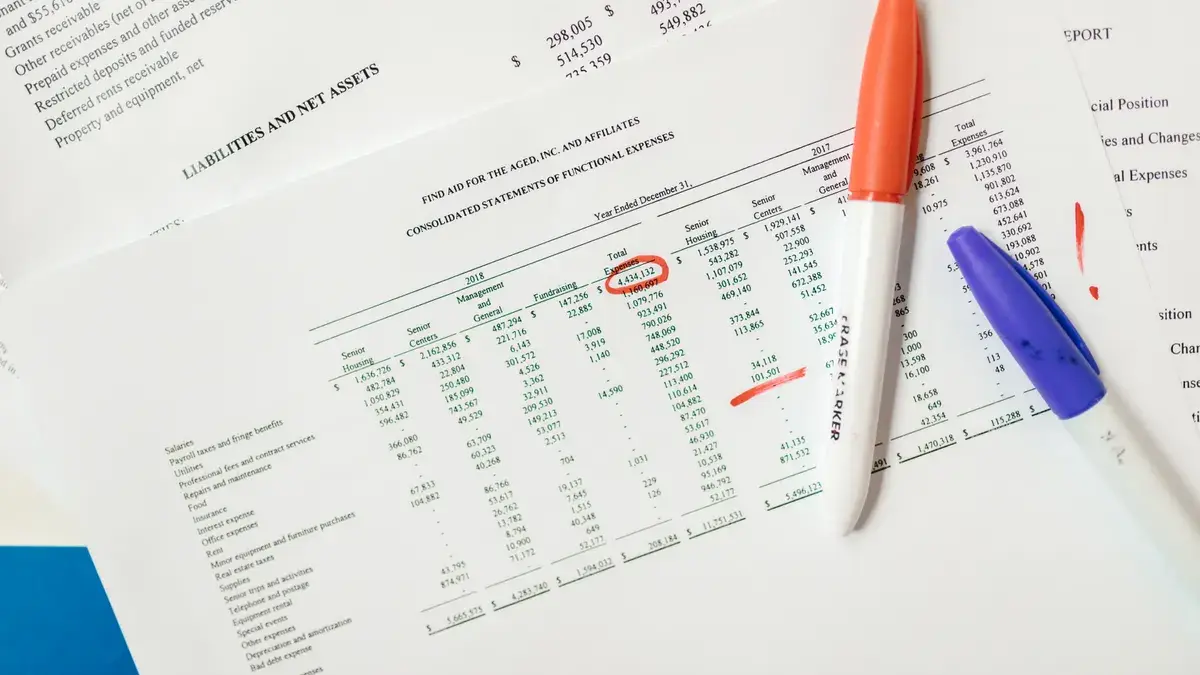
You keep the sheet readable by limiting the core table to one row per debt and one row per monthly update, then using formulas only where they help verify the math. Start with a 12-column table and a second summary area rather than building a five-tab workbook on day one. A spreadsheet that takes more than 15 minutes to update each month usually has too much decoration.
-
List every debt in its own row. Use one row per account and enter creditor, category, balance, APR, minimum payment, and due date. Verify that each balance matches a statement or online account snapshot. If a debt is listed twice, the payoff order will be wrong.
-
Add a payoff priority column. Label debts 1, 2, 3, and so on, based on your chosen strategy. Avalanche often ranks highest APR first; snowball often ranks smallest balance first. Verify that the order is consistent with the method you intend to follow. If the priority changes every month without reason, the sheet will not tell a stable story.
-
Separate required payment from extra payment. Put the minimum payment in one column and any extra amount in another. Verify that the minimum is covered on every open account. If the extra amount appears on more than one debt accidentally, you will overstate how much cash you have available.
-
Add a monthly interest calculation. Use a formula that multiplies the balance by the monthly rate, which is APR divided by 12 in many simple spreadsheet setups. Verify that the number is close to what the lender’s statement shows. If it is wildly off, your rate may be daily-compounding or your APR may not be entered correctly.
-
Create a remaining balance field. Subtract the total payment and any interest added during the month. Verify that the result declines when expected and never becomes negative unless the final payment was larger than needed. A negative payoff balance means the formula needs a cap at zero.
-
Build a payment log or history block. Record the payment date, amount, and account paid. Verify that the log ties to your bank transfer or card payment record. If you skip this, you cannot audit mistakes later.
-
Add a summary box at the top. Show total debt balance, total minimum payments, total extra payment, and number of open debts. Verify that the totals equal the sum of the rows below. If the summary and the table disagree, the sheet is stale or a formula range is missing a row.
-
Finish with a status field. Use simple labels such as Open, Closed, or On Hold. Verify that closed debts are removed from active payoff calculations while staying in the archive. If closed debts still receive payments in the formulas, the template is not ready.
The key design choice is not fancy formatting. It is whether the sheet makes bad data obvious. A template that flags a zero balance, an overdue due date, or an unassigned extra payment is more valuable than one with bright colors and no checks.
Which layout works better: one sheet or several tabs?
A one-sheet layout works better for most people, while a two-tab workbook makes sense when the payoff plan needs a separate history page. A single sheet is easier to maintain because all the debt numbers sit together, but it can become crowded once you add more than about 15 accounts or several years of monthly logs.
The one-sheet version is best when you want quick visibility. Put debts in rows, summary totals at the top, and a small notes column on the right. That format is especially useful in Google Sheets because you can sort by payoff order, APR, or balance without breaking the view. It is also easier in Excel when printing a one-page snapshot for review.
The two-tab version usually has an “Accounts” tab and a “Progress” tab. The Accounts tab holds stable fields such as creditor, original balance, APR, and minimum payment. The Progress tab tracks monthly payment dates, interest, and remaining balances. This split works well if you want visual progress charts or a clean archive of closed debts. The drawback is that it requires more upkeep. If you forget to copy a closed account into the archive, your summary totals can drift.
A third tab is only worth it when you need a calculator. For example, a payoff estimator can model extra payments without touching the main record. That is useful, but it should stay separate from the live tracker so your actual payment history does not get tangled with what-ifs.
How do I customize a payoff spreadsheet?
You customize a payoff spreadsheet by adding only the fields that change your decisions. The right custom fields depend on the kind of debt you have, your payment schedule, and whether you want a simple tracker or a planning tool. A custom field should earn its place by preventing confusion.
For credit cards, a grace-period or statement closing-date column can help if your due dates differ from your billing cycle. For loans with fixed terms, an original balance and term length field can make long-term tracking easier. For medical debt or informal repayment plans, a contact-name or agreement-date field may matter more than APR, because the payment terms themselves are the story.
Useful custom fields include:
- Interest type: fixed, variable, or unknown
- Payment source: paycheck, side income, bonus, or savings
- Status note: current, past due, negotiated, or disputed
- Next action date: when you plan to review the account
- Auto-pay flag: yes or no
The trade-off is clarity versus completeness. Every added column increases the chance of stale information. If a custom field is not reviewed at least once a month, it can become noise. A spreadsheet with 8 clean fields is often more useful than one with 20 fields that nobody updates after the first weekend.
Visual progress is another form of customization. A simple bar chart, conditional formatting that turns cells green as balances fall, or a running total line graph can make momentum visible. Those visuals help some people stay consistent, but they do not replace the actual numbers. If the chart looks encouraging while the balance barely changes, the sheet is doing morale work, not accounting work.
For debt payoff spreadsheet template ideas for any budget, those custom fields should support the decision you actually need to make.
For definitions and consumer finance guidance, authoritative references such as the Consumer Financial Protection Bureau’s debt collection and debt management resources, and the Federal Trade Commission’s debt relief materials, are worth checking against your own situation. The CFPB and FTC both publish consumer-facing guidance that can help you verify terminology and process details.
What mistakes make a debt payoff spreadsheet useless?
The most common mistake is tracking only total debt and skipping per-account detail. That makes the sheet look tidy, but it hides which bill is due, what the rate is, and where the extra payment should go. The result is late fees, missed minimums, or a payoff order that changes by accident.
A second mistake is using one formula for every debt type. Credit cards, installment loans, and variable-rate accounts can calculate interest differently. If you apply the same monthly interest estimate to all of them without checking the statement method, the numbers can drift. The correct alternative is to verify the lender’s formula first and keep an “assumptions” note in the sheet.
A third mistake is recording the planned payment instead of the paid payment. That creates a false sense of progress. If the spreadsheet says $300 went out but only $250 actually cleared, the remaining balance and payoff date will be wrong. The better alternative is to log payment dates after they clear.
A fourth mistake is relying on color alone. Red and green cells look helpful, but color does not replace a status field or a formula check. If you print the sheet or share it with someone who cannot see the color cues, the logic disappears. Use labels, not just color.
A fifth mistake is forgetting closed debts. People often leave paid-off accounts in active ranges, so the summary keeps counting them. That causes totals to look higher than they are and makes the plan feel slower than it is. Move closed accounts to an archive section, then exclude them from the active total.
When should you stop using a template and get help instead?
A spreadsheet stops being the right tool when the debt picture is too unstable or too disputed for a simple monthly plan. In those cases, the problem is not the layout; it is the underlying account situation.
Balances are disputed or incomplete: the sheet cannot tell you what is truly owed — wait for corrected statements or get qualified help before building a payoff plan.
Collection notices or legal papers are involved: the issue may have legal deadlines, not just payment deadlines — keep records, but speak with a qualified adviser or legal professional.
Interest, fees, or repayment terms keep changing: a static template may mislead you — switch to a tracked notes system with manual updates every billing cycle.
You are using a hardship, settlement, or negotiated plan: the payment path is no longer standard — use the written agreement as the source of truth and update the sheet to match it exactly.
Multiple currencies or cross-border accounts are involved: exchange rates and local rules can distort the totals — avoid mixing them in one payoff table unless you can separate them clearly.
You cannot confirm the minimum payments from current statements: the template will spread errors fast — pause the payoff model and gather the account documents first.
A spreadsheet is strongest when the terms are ordinary and the numbers are known. It is weakest when the situation has moved into dispute, negotiation, or formal process.
What does a good result look like after 30 days?
A good result after 30 days is a spreadsheet that tells the truth fast. The summary should show the current total debt balance, the minimum monthly payment burden, and the account receiving the next extra dollar without any hunting. A strong template makes it easy to answer three questions in under a minute: what changed, why, and what to pay next.
That does not mean the balance must fall dramatically in one month. Sometimes the first 30 days only produce clean data, a corrected payoff order, and a complete payment log. That still counts as success because the sheet is now usable. The better sign is consistency: the balances match statements, closed accounts are archived, and the extra payment lands where the plan says it should.
If the spreadsheet takes more than one monthly review to understand, it is too complicated. If it can be updated in 10 to 20 minutes with no guesswork, it is probably doing its job. The best debt payoff spreadsheet template is not the prettiest one; it is the one that keeps the next decision obvious.
What should a debt payoff spreadsheet include?
A debt payoff spreadsheet should include the current balance, minimum payment, due date, interest rate, payoff order, and a place to log what was actually paid.
Drafted with AI; not yet reviewed by a person.