Last updated: November 18, 2026
Quick Answer: How to Set Up Automatic Debt Payments the Right Way usually takes about 10 to 20 minutes per account, and the safest setup is the one that matches your paycheck timing, not just the bill due date.
Key Takeaways
- Set up automatic debt payments with the right account, date, and payment type.
- Protect your checking balance, then verify the first draft and calendar timing.
- Build in a cash buffer so one payment does not trigger an overdraft.
- Do not use the due date blindly; check when the money will actually leave.
Automatic debt payments, or autopay, work best when the payment date, bank account balance, and minimum amount are set to match your cash flow—not just your bill due dates. This guide explains How to Set Up Automatic Debt Payments the Right Way without creating overdrafts, late fees, or surprise timing problems. It is information, not financial advice; for your own situation, especially if money is tight or your debts are unusual, a qualified adviser should be consulted, and lender rules should also be checked in the account terms or help pages before you enroll.
Who this is for, and what it assumes
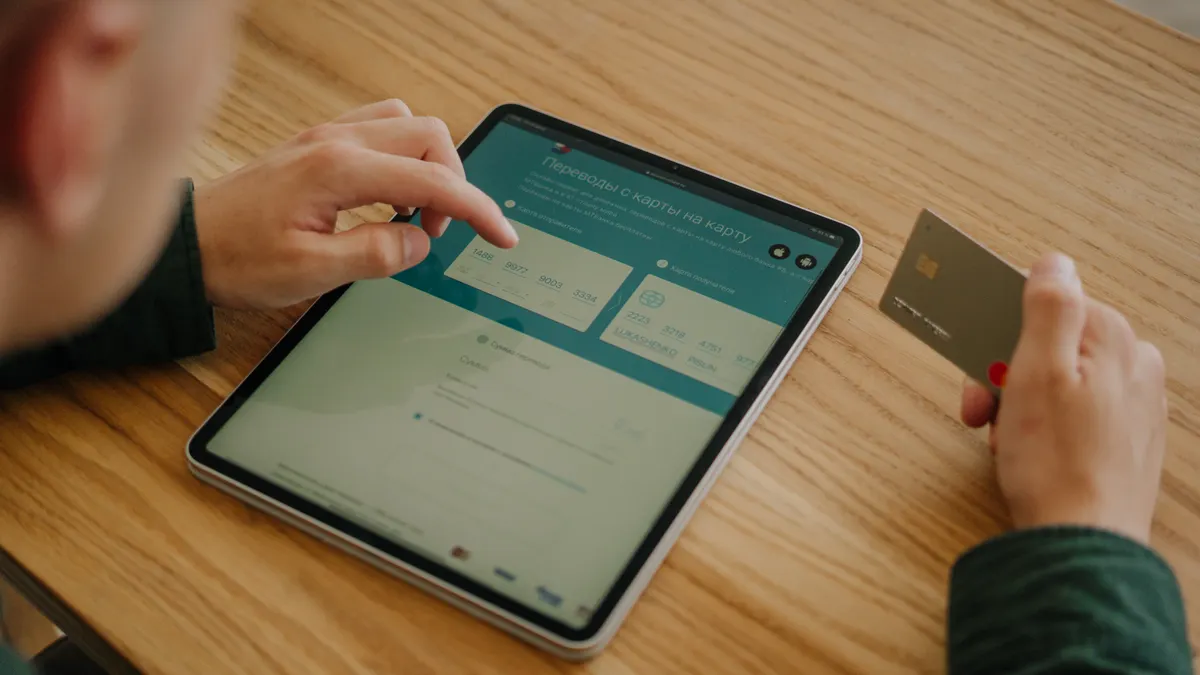
This applies if you have at least one recurring debt payment—such as a credit card, student loan, auto loan, or personal loan—and you want the payment to happen automatically from a bank account. It assumes you already know each debt’s due date, can log in to the lender or loan servicer portal, and can see the routing and account numbers for the bank account you plan to use.
It also assumes you are trying to avoid the two classic failures of autopay: paying too early and draining the account before other bills clear, or paying too late and triggering a missed-payment mark. On most systems, “automatic payment” means the lender pulls money from your bank account on a scheduled date; on credit cards, some issuers also let you set autopay for the statement balance, minimum payment, or a fixed amount.
This is the right tool for people who have stable cash flow and enough cushion to leave the payment in the account for a few business days before and after the draft. It is not the right tool if your checking balance swings close to zero, if your income timing changes every month, or if you cannot cover the minimum payment without moving money around at the last minute. In those cases, a manual payment may be safer until the timing problem is solved.
For credit cards, student loans, and many installment loans, the key is not just “turn autopay on.” The key is deciding what amount should be drafted, from which bank account, and on what day of the month. That setup decision is where most problems begin, and it is the part worth getting right.
What you need before you turn autopay on
You need three things before setting up automatic debt payments: the exact payment account, the exact draft date, and the exact payment type. If any one of those is vague, the setup can fail or the wrong amount can leave the account.
Start with the lender portal or loan servicer portal for each debt. A loan servicer is the company that collects payments and manages the loan account, which may be different from the original lender. Have the routing number and account number for the checking account ready. Some lenders allow savings accounts too, but checking is usually the cleaner choice because it is easier to keep liquid enough to cover the draft.
Next, identify what the autopay option actually offers. A credit card might let you choose minimum payment, statement balance, or a custom fixed amount. A student loan may default to the monthly amount due. An auto loan may only offer full scheduled payments. The term “minimum payment” means the smallest amount the lender says is due for that cycle; on a card, paying only the minimum can keep the account current, but it usually leaves a balance in place.
Check whether the payment date is set by the lender or by you. Some systems let you pick any date in a window, such as the 1st through the 28th. Others only allow the due date or a nearby business day. If your income lands on the 15th and the lender pulls on the 12th, that mismatch matters more than the interest rate on the debt.
Keep one more thing in view: payment posting time. A draft can start on one calendar day and post the next business day, especially around weekends and bank holidays. That difference matters if your balance is tight. Before enrolling, read the autopay rules in the account terms or help pages, and if the lender offers a 1- or 2-day processing estimate, treat that as part of the timing plan.
For a broader system of debt tracking, this page works best alongside the hub on debt payoff tools and trackers.
How to set up automatic debt payments step by step
Set up autopay in a way that protects your checking balance, verifies the first draft, and leaves room for calendar quirks. The cleanest setup usually takes 10 to 20 minutes per account, but the first month matters most.
- Choose the debt and the payment type. Open the account and select autopay for one debt at a time. Pick the payment type the portal offers: minimum payment, statement balance, or fixed amount. Verify that the choice matches your goal. If the screen says “minimum due” and you meant “full statement balance,” that is a problem because the debt can keep revolving and interest can continue.
- Confirm the due date and the draft date are not the same in practice. Check whether the lender drafts on the due date, one business day before, or a date you choose in a range. Verify the time zone if it is shown; some systems use Eastern Time by default. If the draft happens before your paycheck clears, that is a timing problem, not a payment problem.
- Link the bank account you will actually keep funded. Enter the routing and account numbers from the checking account you plan to use. Verify the masked numbers on the confirmation screen before saving. If the portal shows the wrong last four digits, stop; one bad digit can send the payment to the wrong account or cause an ACH return.
- Set a draft date that leaves a buffer of at least 2 to 3 business days after your income lands. If the lender lets you choose, place the draft after deposits clear rather than on the same day as payday. Verify that weekends and bank holidays do not move the draft into a tighter window. If the date lands on a Saturday, Sunday, or holiday, the payment may move to the next business day and collide with another bill.
- Use the smallest amount that still matches the purpose of the account. For a credit card, that may mean the minimum payment if your aim is to avoid a missed payment, or the statement balance if you want the full bill paid off each cycle. Verify that the amount field is not set to a custom number by mistake. A fixed amount lower than the minimum can trigger a late or short-payment issue.
- Review the first scheduled payment date and confirmation message. The portal should show the next draft date, amount, and funding account. Verify that the first payment is not already past due or scheduled for the wrong month. If the confirmation says the first draft will happen immediately and you were expecting next cycle, that needs correction before you leave the page.
- Save the confirmation, then check the account again after the first draft. Keep the confirmation email or screenshot, and log back in after the first payment posts. Verify the payment cleared and the balance updated correctly. If the payment is pending for more than one business day or shows an error, contact the lender or servicer right away.
- Repeat the setup for each debt, but do not assume the same date works for every account. A credit card, student loan, and car loan may all have different due dates and draft rules. Verify each account separately. If you reuse one date across all debts without checking timing, you can accidentally stack three drafts on the same morning and strain the bank account.
A useful rule: first payment confirmation should show exactly four things—account nickname, amount, date, and last four digits of the funding account. If any one of those is missing or wrong, the setup is not finished.
How do I avoid overdrafts with autopay?
Avoid overdrafts by giving the payment a buffer, not by hoping the bank will save you. An overdraft happens when the bank pays a transaction even though your available balance is too low; some banks cover it and charge a fee, while others decline the item. Either outcome can create a mess if autopay is scheduled too close to your balance floor.
A safer setup is to treat the autopay date as earlier than the due date, but only if that fits your actual cash timing. If your lender technically drafts on the due date, that can still work; the key is that the money must already be there. If your income lands on the 1st and a card drafts on the 3rd, that may still be too tight if your rent, utilities, or subscriptions clear first. A 2- to 3-business-day buffer is a better habit than a one-day buffer.
Use one checking account for debt drafts if you can keep it organized. Mixing autopay for debt with every everyday expense in the same account makes it harder to see what is already reserved. If the lender allows it, create a low-friction “payments” checking account and keep the next draft amount plus a small cushion in it. That cushion does not have to be large, but it should be enough to absorb a small bank timing delay.
Before the first draft, look at pending transactions, not just posted ones. Pending card swipes, gas holds, and subscription renewals can lower available balance before they settle. If the account is already thin on the 28th, a debt draft on the 29th is not a stable setup.
If the debt is a credit card, check whether the autopay amount is the minimum payment or the statement balance. A minimum-payment autopay can prevent a missed payment, but it can also leave a revolving balance that keeps drawing interest. A statement-balance autopay reduces that problem, but only if the checking account can handle the full charge every cycle.
What people get wrong with autopay
The most common error is setting autopay to the due date without checking the account’s cash timing. The consequence is a bounced payment, an overdraft, or a shortfall that has to be fixed manually. The better alternative is to choose a draft date after the money lands, even if that means setting it a few days earlier than the lender requires.
Another mistake is assuming minimum payment and full payment mean the same thing. They do not. On a credit card, minimum payment usually keeps the account in good standing for that cycle, but it can leave interest charges in place and the balance can carry forward. The correct alternative is to choose the payment type deliberately, not by accepting the portal’s default.
A third error is using an account that also pays rent, groceries, and subscriptions. One paycheck can look large enough on paper and still fail in practice because other debits clear first. The fix is to use a separate checking account for debt drafts or to keep a written reserve equal to at least one payment cycle.
A fourth mistake is not checking the first draft. People see “autopay enabled” and assume the job is done. Then the first payment posts to the wrong amount, the wrong date, or the wrong account. The better alternative is to verify the first transaction after it posts and correct the setup before the next cycle.
A fifth mistake is changing the bank account or closing the old one without updating autopay. That can cause a returned payment and a missed-draft issue even when the debt itself is current. The right move is to update the autopay details first, wait for the new setup to confirm, and only then stop using the old account for drafts.
When the standard setup does not apply
Do not use the standard autopay setup without adjustment if any of these situations is true.
Your income arrives after the lender’s draft date: the payment can hit before cash is available — move the draft date or use manual payment until the timing matches.
Your checking balance falls close to zero between paydays: the account can overdraft even if the monthly budget is fine on paper — use a separate payment account or skip autopay until the buffer is stable.
The lender only lets you draft on the due date and not earlier: you have no timing cushion — watch the calendar closely and consider manual payment if weekends or holidays make the date unpredictable.
The debt account is in a hardship, deferment, forbearance, or past-due status: autopay may not behave the way a normal current account does — contact the loan servicer before setting anything up.
You are paying from a joint account or an account with another person’s transactions: the payment can be affected by spending you do not control — coordinate first or use an account reserved for bills.
The account uses variable payment amounts, such as some utility-linked repayment plans or adjusted loan plans: a fixed autopay amount can be wrong in one or more months — confirm the lender’s rules before enabling it.
If the setup does not fit one of these cases cleanly, stop and confirm the terms with the loan servicer or lender before the first draft. One wrong payment date can create more work than the autopay saves.
How long it takes, and what a good setup looks like
A good autopay setup usually takes less than 20 minutes per account, but the real test is the first billing cycle. That first cycle tells you whether the draft date, payment amount, and checking balance all work together.
A good setup has four signs. First, the autopay confirmation shows the correct debt account and the correct funding account. Second, the draft date lands at least a few days after your income is available. Third, the amount matches the goal of the account, whether that is minimum payment or the full statement balance. Fourth, the first payment posts without forcing the checking account into a low-balance scramble.
The setup is not working well if you have to move money in the same day every month just to keep the payment from failing. That is not a stable autopay system; it is a manual payment with extra steps. It is also not ideal if the payment draft creates a domino effect, such as one card payment forcing a second bill to miss its timing.
If you have several debts, each one may need a different draft date. That is normal. A credit card due on the 8th, a student loan on the 15th, and a car payment on the 22nd can all be valid autopay dates if the cash arrives in time.
Drafted with AI; not yet reviewed by a person.