Last updated: November 19, 2026
Quick Answer: debt payoff calculators are usually accurate enough for planning within a few months, and sometimes to the exact month, if you use the current balance, APR, minimum payment, and any extra payment. They are planning tools, not promises. This guide on debt payoff calculators and estimate accuracy shows what they get right, where they miss, and how to judge the estimate before you trust it.
I write about consumer debt and repayment math for readers who need a clear payoff plan, not a sales pitch. For debt payoff calculators and estimate accuracy, the safest approach is to treat the result as a working estimate, not a guarantee; if your situation is complex, a qualified adviser should review the numbers.
Key takeaways
- A payoff calculator is only as good as the inputs you give it.
- Small changes in APR, payment timing, or extra payments can shift the payoff date.
- Variable-rate debt, fees, and skipped months can make estimates drift fast.
- A good calculator should show the payoff date, total interest, and the monthly amount needed to finish on time.
- The best estimate is the one you can keep updating as your statement changes.
How accurate are debt payoff calculators, really?
Debt payoff calculators and estimate accuracy are usually strongest for a fixed-rate debt with steady payments, and much less accurate when the account changes month to month. If the balance, APR, and payment schedule stay still, the calculator’s math is simple amortization, not guesswork.
Picture this: you’re trying to decide whether an extra $50 a month will move the finish line by six months or by six weeks. A calculator can answer that well if it has the right inputs and the debt terms don’t change after you press enter. If the card rate floats, fees hit the balance, or you miss a payment, the estimate starts to drift.
The catch is that most people do not pay debt in a perfect straight line. Credit cards can have variable APRs, late fees, new charges, and partial payments. Student loans and personal loans can also differ by country, lender, or repayment plan, so the same calculator may mean different things in different places.
The best way to think about accuracy is this: the calculator estimates a path, not a future. It can map a schedule from today’s balance to zero, but it cannot know what your lender will do, what your income will do, or whether you will add new debt.
- Fixed-rate installment debt: usually the easiest case.
- Variable-rate credit card debt: estimate can slip after rate changes.
- Debt with fees or penalties: total interest may come in higher than shown.
- Debt with irregular payments: payoff date may move a lot.
If a calculator gives a date with no clear inputs, treat it as a rough sketch and, if the debt is significant or the terms are unclear, check the statement and consider asking a qualified financial professional before relying on the result. Consumer Financial Protection Bureau guidance on credit card statements and interest can help you verify the assumptions: https://www.consumerfinance.gov/consumer-tools/credit-cards/estimate-your-costs/ If it shows the exact balance, APR, minimum payment, and extra payment, the result is much more useful.
What a payoff calculator can and cannot know
A payoff calculator can know the math of your current debt, but it cannot know future account changes. That difference matters more than most readers expect.
Picture this: you’ve entered a $7,000 balance, a minimum payment, and an extra amount, then you see a date that looks comforting. The number may be right for today’s statement. It is not a guarantee that the debt will still follow that path next month if the balance changes, the APR resets, or a fee lands on the account.
Here’s the catch: even a very good calculator cannot see every line on your statement. Some debts charge daily interest, some compound monthly, and some apply payments in ways that vary by lender and country. If the tool does not state how it handles interest accrual, you may be looking at a simplified estimate. The Consumer Financial Protection Bureau explains that credit card interest can accrue and post in ways that affect the amount you owe, so if a calculator is silent on that method, it is worth checking its assumptions against your statement or a qualified professional’s guidance: https://www.consumerfinance.gov/consumer-tools/credit-cards/understand-your-credit-card-statement/
A calculator usually can handle:
- Current balance
- APR or interest rate
- Minimum payment
- Extra monthly payment
- One debt or several debts, depending on the tool
- A payoff date estimate
- Total interest estimate
A calculator usually cannot handle well:
- New purchases added to a credit card
- Rate changes on variable APR accounts
- Fees, penalty APRs, or promotional rates ending
- Missed payments
- Changes in lender payment allocation rules
- Country-specific tax or legal treatment of debt
That last part matters. Debt rules differ by country, and lenders can change terms. If you are comparing tools, look for clear language about whether the estimate assumes a fixed rate, no new charges, and on-time payments.
Which inputs matter most for the estimate?
The balance and APR matter most, then the payment amount. If one of those is wrong, the estimate can miss by a lot even when the calculator itself is fine.
Picture this: you have two cards with almost the same balance, but one has a higher APR and a lower minimum payment. The calculator may show very different payoff dates because interest compounds on the expensive card faster. That is not a flaw in the tool; it is the reality of debt math.
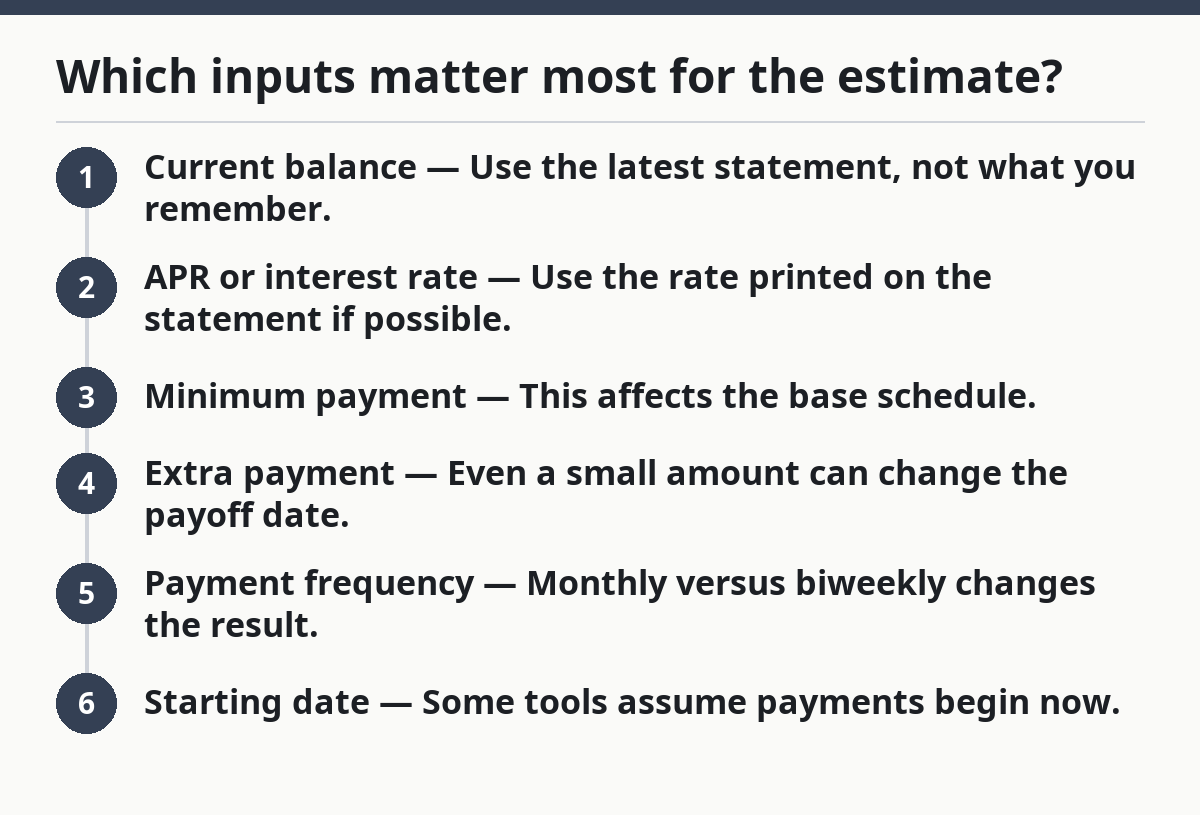
The most important inputs are:
- Current balance — Use the latest statement, not what you remember.
- APR or interest rate — Use the rate printed on the statement if possible.
- Minimum payment — This affects the base schedule.
- Extra payment — Even a small amount can change the payoff date.
- Payment frequency — Monthly versus biweekly changes the result.
- Starting date — Some tools assume payments begin now.
The truth is, readers often underweight the interest rate. A balance with a lower APR and a slightly higher minimum can be easier to clear than a smaller balance with a much higher APR. That is why a calculator needs the rate, not just the amount owed.
A second common mistake is entering the “what I can pay” number instead of the actual payment plan. If you hope to pay an extra $100 but only manage $40, the estimate will be too optimistic. A calculator cannot correct for a plan that never reaches the account.
Why your payoff date can be wrong even with a good calculator
Your payoff date can be wrong because debt changes while the calculator stays frozen. That is the core problem.
Picture this: you open the calculator in January, enter the right numbers, and get a payoff date that looks clean. By March, the card has a new balance from purchases, the APR has shifted, or a payment posted later than you expected. The original date is now stale, even though the calculator did nothing “wrong.”
The most common causes of error are:
- New spending on revolving credit
- Rate resets on variable APR debt
- Fees, late charges, or penalty rates
- Interest compounding daily instead of monthly
- A lender applying payments in a different order than the tool assumes
- Rounding differences in the final payment
Some calculators are better at showing these limits than others. A useful tool says what it assumes. A weak tool hides the assumptions and makes the date look firmer than it is.
The Consumer Financial Protection Bureau and the Federal Trade Commission both publish consumer guidance on credit card terms, payment behavior, and debt-related costs, which is useful when you want to compare what a calculator assumes with how an account actually works. If you want a standards-based starting point, those are useful references:
- Consumer Financial Protection Bureau: https://www.consumerfinance.gov/
- Federal Trade Commission: https://www.ftc.gov/
No calculator beats a current statement. Not even close.
How to tell if a calculator is giving you a decent estimate
A decent payoff calculator shows its assumptions in plain language and lets you edit the key numbers. If it hides the interest rate, the payment timing, or the method it uses, the estimate is harder to trust.
Picture this: you’re comparing two tools side by side. One gives you only a payoff date. The other shows balance, APR, minimum payment, extra payment, total interest, and a warning that the estimate assumes no new charges. The second one is doing more of the work you need.
A useful calculator should do these things:
- Show the payment schedule, not just the end date
- Let you change APR, balance, and payment amount
- Show total interest paid over time
- Say whether it assumes no new charges
- Let you compare debt snowball and debt avalanche if you have multiple debts
- Recalculate when you change the extra payment by a small amount
A bad calculator often looks clean but leaves out the details. It may show an exact date while skipping the assumptions that make the date possible. That can be worse than no estimate at all, because it invites false confidence.
If you are using a payoff tool for a real decision, watch for three things:
- It updates as soon as you change the extra payment.
- It does not bury the APR in a tiny note.
- It explains how it treats interest between payment dates, or it clearly says to confirm that with your lender or a qualified professional.
The calculator is doing useful work when it helps you compare plans. It is not doing enough if it only hands you a glossy finish line.
The difference between one debt and many debts
A single-debt calculator is usually more accurate than a multi-debt planner because the math is simpler. Once you add several balances, the order of payment starts to matter.
Picture this: you have a credit card, a car loan, and a personal loan. The payoff date depends not just on how much money you send, but on which debt gets the extra dollar first. That is where avalanche and snowball methods come in, and the calculator has to model the order correctly.
A single debt is easier because the tool only needs one rate, one balance, and one payment stream. The estimate is cleaner, and the result is easier to verify against the statement.
A multi-debt calculator has to choose a strategy:
- Avalanche: extra money goes to the highest APR first.
- Snowball: extra money goes to the smallest balance first.
Both can be modeled accurately, but they answer different questions. Avalanche usually minimizes interest cost if the inputs stay stable. Snowball can make early progress feel faster because balances disappear sooner. The calculator should be clear about which method it uses.
If you have more than one debt, a calculator is most accurate when it lets you:
- Rank debts in the order you plan to attack them
- Switch between snowball and avalanche
- Reassign extra payments after one debt is cleared
- Show the total cost difference between methods
The real mistake is treating every debt as if it lives in the same lane. They don’t. Different rates, different minimums, and different payoff orders change the result.
What should you check before you trust the date?
You should check the statement, the APR, the payment timing, and the tool’s assumptions before you trust any payoff date. Those four checks catch most of the bad estimates.
Picture this: you are one click from printing a payoff plan, and the date looks close enough to feel useful. Before you rely on it, compare the calculator’s numbers with your latest statement and make sure the tool matches your lender’s rules.
Use this quick check:
- Confirm the current balance from the most recent statement.
- Confirm the APR, not an old rate from a welcome email.
- Check whether the minimum payment changes as the balance falls.
- Look for fees, intro rates, or penalty rates.
- Make sure the tool assumes the same payment date you plan to use.
- Decide whether you will make new charges on the account.
A calculator can be off by a little and still be useful. It becomes less useful when the date looks precise but rests on bad inputs. A date that is off by a month is a warning sign. A date that is off by a year means the tool, or the inputs, are not fit for planning.
The cleanest habit is to rerun the calculation every time the statement changes. That takes only a few minutes and keeps the estimate tied to reality, not last month’s guess.
Debt payoff calculators and estimate accuracy: the honest verdict
Debt payoff calculators and estimate accuracy are good enough for planning, but not good enough to replace your statement or your lender’s terms. They work best when the debt is fixed-rate, the balance is current, and you stop adding new charges.
Picture this: you want to know whether a tighter payment plan can move you out of debt faster without guessing. A calculator can answer that. It can show the cost of a higher payment, the benefit of paying early, and the difference between payoff methods. It cannot promise the future.
Choose a simple calculator if you have one debt, a fixed rate, and a steady monthly payment. Choose a more detailed planner if you have several debts and want to compare snowball against avalanche. Neither is right if your balances change every month, your rate can reset soon, or you need country-specific treatment that the tool does not explain.
The best payoff estimate is the one you can update. A stale estimate is just decoration.
What if my payoff date keeps changing?
Your payoff date keeps changing because the balance, rate, or payment timing changed. That does not mean the calculator is useless; it means the inputs are not stable enough for a single fixed date.
If the estimate moves a little each month, that is normal for revolving debt. If it swings a lot, look for new charges, fee changes, or a variable rate.
Is a debt payoff calculator better than doing the math by hand?
A calculator is usually better because it handles interest and payment order without rounding errors. Hand math can work for a rough estimate, but it gets messy fast once you add extra payments or more than one debt.
A calculator also makes it easier to test “what if” changes. That is the real value.
Why does my calculator show a lower total interest than my statement?
The calculator may be assuming no new charges, a fixed rate, or a simpler payment schedule. Your statement may include fees, interest timing, or minimum-payment rules the tool does not model.
If the estimate is lower, check the assumptions first. The gap is often in the inputs, not the math.
Can I trust a calculator for credit cards with variable APR?
You can trust it as a rough plan, but not as a fixed promise. Variable APRs can change, and that can change both the payoff date and total interest.
If the card rate can move, rerun the estimate whenever the statement changes.
Drafted with AI; not yet reviewed by a person.